In the realm of music production and broadcasting, having the right tools can make all the difference. Audio interfaces and mixers play a crucial role in capturing and refining sound. Whether you’re a seasoned musician, a podcaster, or a live streamer, choosing the right gear is essential. It can greatly impact your recording and mixing. It also enhances your overall creative experience. In this comprehensive review, we’ll explore the intricacies of some top-notch products in the Audio Interfaces & Mixers category. We will investigate their features and functionalities. Discover how they can elevate your audio experience.
We will review and compare eight audio interfaces and mixers from renowned brands. Each product will have a detailed analysis of its features and specifications. We will also discuss the pros and cons. These products offer a range of features, from multi-channel mixers to studio-quality preamps and real-time effects. Whether you are a musician, podcaster, or content creator, you need the right audio equipment. It can significantly impact the quality of your recordings. It also affects live performances.
For Musicians and Podcasters
Audio interfaces and mixers are two important tools for musicians, podcasters, and anyone who wants to create high-quality audio recordings. Audio interfaces are primarily used for recording and playback on computers, while mixers are designed for live sound reinforcement. Understanding the differences between the two will help you choose the right tool for your needs.
- Crystal Clear Recordings: Audio interfaces are known for their high-quality AD/DA conversion that captures every nuance of your sound. They are compact and easy to use. They feature a small number of channels. This makes them ideal for solo musicians or podcasters. Additionally, many interfaces come bundled with essential recording software and plugins, providing a comprehensive solution for getting started. Their portability makes them perfect for on-the-go recording sessions or home studio setups.
- Live Sound Mastermind: Mixers are designed for live situations. They allow you to adjust levels and add effects. This helps create a cohesive mix for the audience. They offer extensive control over various audio sources, making them perfect for bands or complex setups. Dedicated screen controls allow you to create a custom mix for performers to hear themselves onstage.
- Picking Your Perfect Partner: When choosing between an audio interface and a mixer, consider your priorities. If recording takes priority, an audio interface is your champion. For live performances, a mixer reigns supreme. Think about the number of inputs you’ll be using. Then, choose an interface or mixer with enough channels to meet your needs. If mobility matters, a compact audio interface can be ideal. For a fixed studio setup, a mixer with more features be preferable.
In conclusion, choosing between an audio interface and a mixer depends on your needs and priorities. Audio interfaces are great for recording and playback on computers, while mixers are ideal for live sound reinforcement. Consider the number of inputs and your mobility needs when making your decision. This guide equips you with the knowledge to navigate the world of audio interfaces and mixers. Now you can confidently choose the perfect tool to take your audio creations to the next level.
TC-Helicon GoXLR – Redefining Online Broadcasting
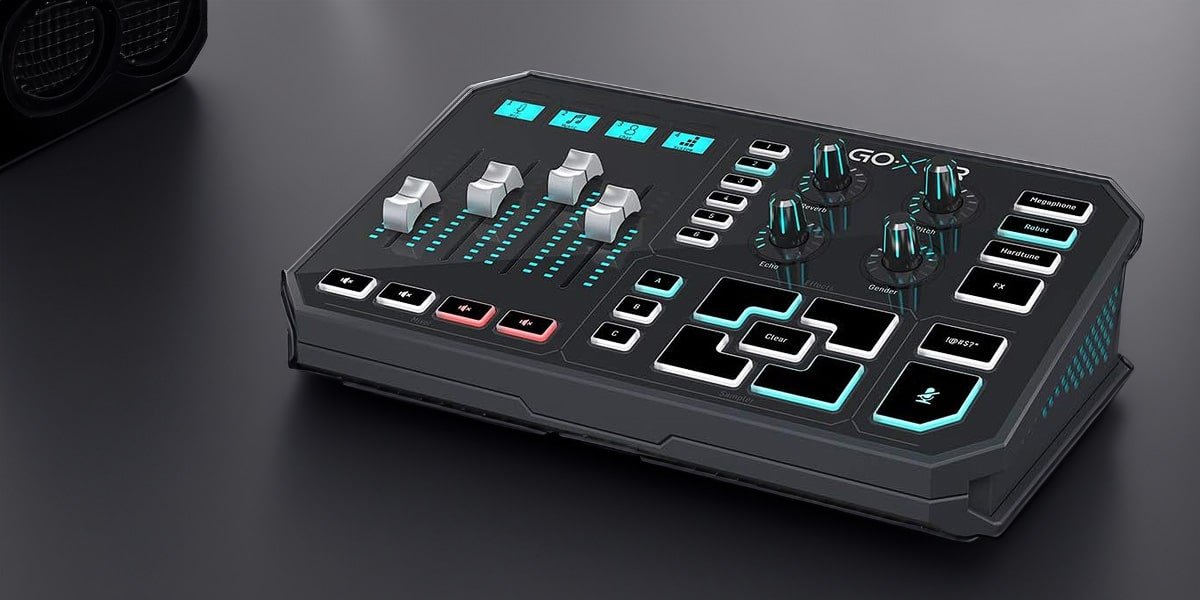
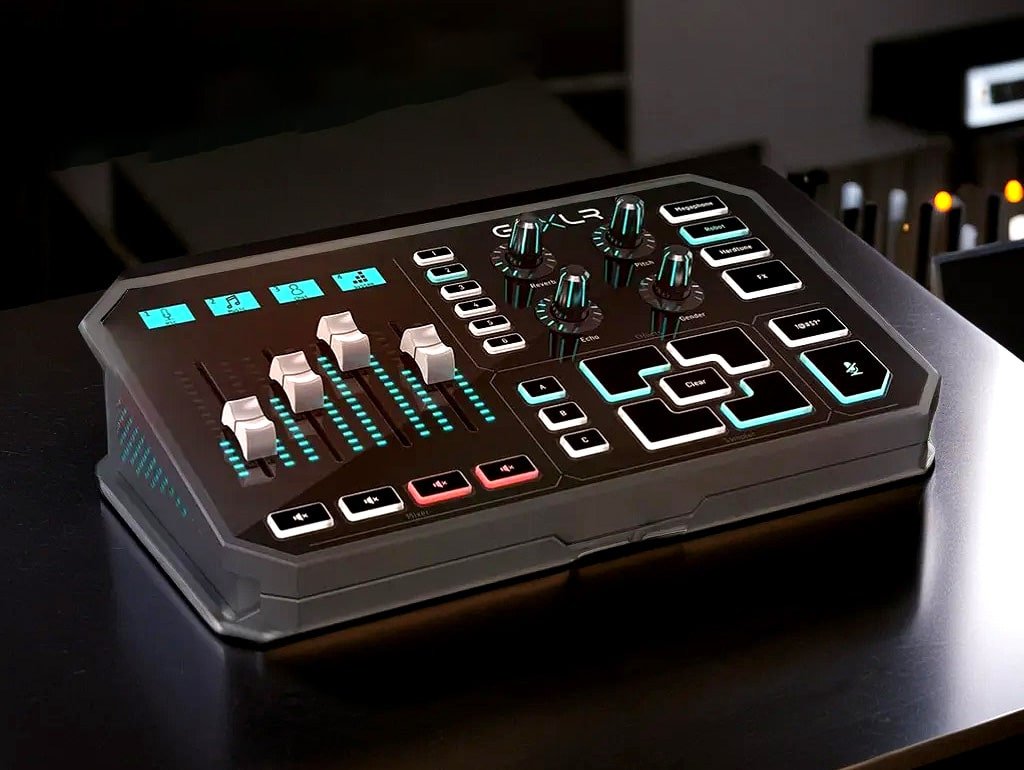
The TC-Helicon GoXLR is a revolutionary online broadcaster platform designed to elevate your streaming experience. It offers a seamless solution for online broadcasters, providing a comprehensive platform to control every aspect of your audio setup.
Key Features of TC-Helicon GoXLR
- Four-channel mixing with motorized faders for precise control and dynamic adjustments.
- Voice effects and processing with dedicated channel strips.
- Sound effects and samples for seamless integration of dynamic content.
- Loopback functionality for effortless integration of external audio sources.
- Customizable soundboard for quick access to frequently used sounds.
Specifications
- 4 Channel Motorized Mixer with Motorized Faders
- Studio-quality MIDAS Preamp with 48V Phantom Power
- 24-bit/96kHz High-Resolution Audio Interface
- Customizable RGB Lighting
- Compatible with PC and Mac
- Vocal Processing Engine with Reverb, Echo, and Pitch Correction
- Built-in Audio Interface
- 12 Dedicated Playback Pads
- Sampling Rate: 96kHz
- Bit Depth: 24-bit
- Robust Vocal Processing Engine
- 1/4″ Headphone Output
Pros
- Intuitive control layout with motorized faders for effortless sound management.
- Premium build quality and studio-quality MIDAS preamp for exceptional audio output.
- Versatile customization options with RGB lighting, voice FX integration, and real-time vocal effects.
- Seamless compatibility with popular streaming platforms, providing a streamlined workflow for seamless broadcasting.
- This is an all-in-one solution for online broadcasting. It caters to a wide range of online content creation needs. These needs include live streaming, podcasting, and gaming.
Cons
- Higher price point compared to entry-level audio interfaces, making it an investment for serious content creators.
- No official Linux or macOS support and some users report issues with noise and feedback.
- Limited channel capacity and expandability for larger setups.
- Targeted towards online broadcasters and may not be ideal for traditional music production applications.
Mackie Mix5 – Compact 5-Channel Mixer for Versatile Audio Mixing
The Mackie Mix5 is a 5-channel compact mixer that provides exceptional audio quality and user-friendly controls. This mixer is perfect for a variety of applications, including live performances, recording sessions, podcasts, and more. Its compact design, intuitive controls, and affordable price make it a portable and user-friendly option for musicians and sound engineers.
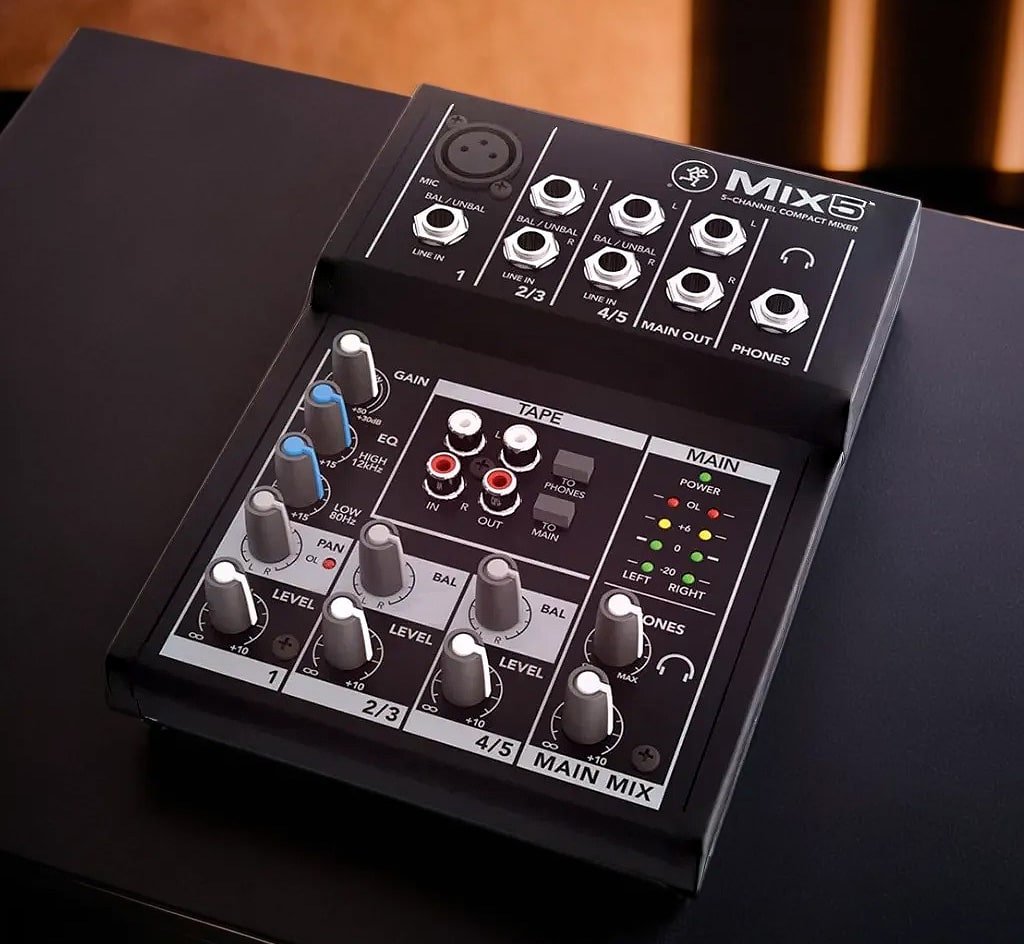
Key Features:
- High-headroom preamps for optimal sound balance.
- 2-band EQ for precise tone shaping.
- Two XLR microphone inputs with dedicated gain controls.
- Two stereo 1/4″ line inputs.
- Dedicated stereo RCA inputs/outputs for playback or recording.
- Headphone output with separate volume control.
- Robust metal construction for durability.
Specifications:
- 5-channel mixer with a compact and lightweight design, perfect for mobile use.
- XLR and 1/4-inch inputs on each channel, accommodating a variety of microphones and instruments.
- Phantom power for condenser mics, ensuring high-quality sound.
- 2-band EQ on each channel for precise tonal shaping.
- Aux sends for connecting external effects processors and expanding sonic possibilities.
- Stereo master outputs for delivering mixed sound with clarity and power.
- 3-band EQ on each channel for clean and precise tone shaping.
- Effects and processing tools included in the compact design.
- High-quality audio with 24-bit/192kHz resolution.
- Dedicated stereo line inputs and stereo aux input for external devices.
- Durable metal construction for long-lasting use.
- Headphone output with level control for private monitoring.
- Stereo RCA tape inputs/outputs for easy recording and playback.
Pros
- Compact and lightweight design, making it highly portable for on-the-go use.
- High-quality preamps that deliver studio-grade audio quality.
- Versatile connectivity options that make it easy to connect different audio sources.
- Intuitive controls that allow for easy operation, even for those with limited mixing experience.
- Built-in EQ for precise sound shaping.
- Affordable price point that makes it accessible to a wide range of users, from beginners to seasoned professionals.
- Rugged and reliable construction that withstands regular use.
Cons
- Limited channel count compared to larger mixers, which may not suffice for complex setups requiring more inputs.
- Lack of advanced features like motorized faders or onboard effects, which may be desired for more advanced users.
- Some users have reported issues with sound quality and noise.
- No power switch on the device.
- No built-in audio interface, limiting its connectivity options.
- A limited number of channels may not suffice for more complex setups requiring more inputs.
- No USB connectivity, which may make it difficult to integrate with certain devices.
Antelope Audio Discrete 4 Synergy Core Thunderbolt – Elevate Your Recording Experience
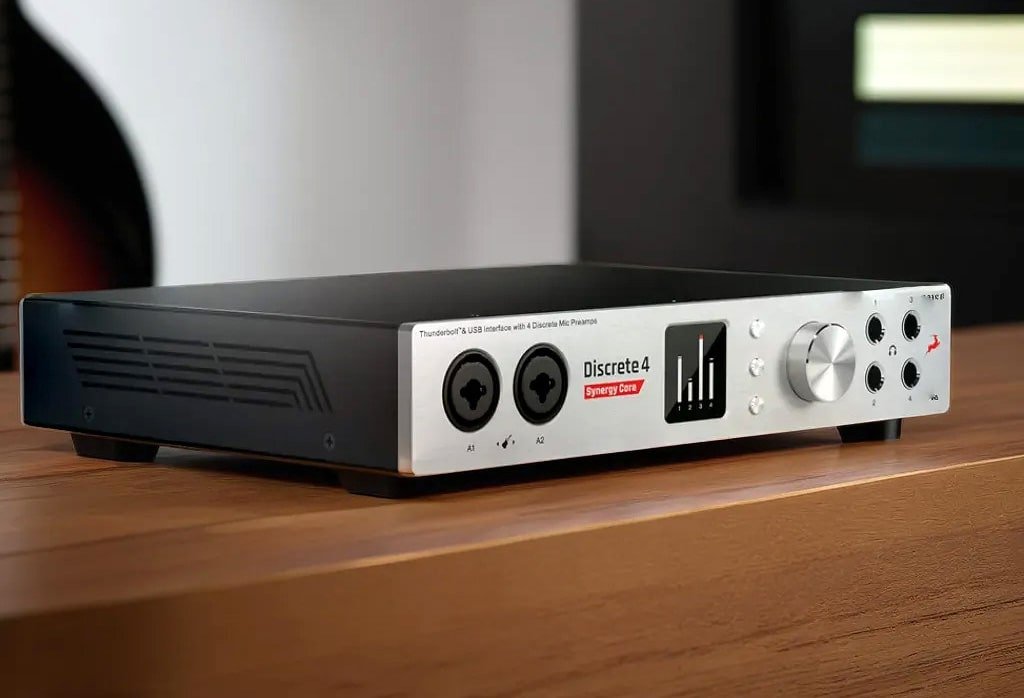
The Antelope Audio Discrete 4 Synergy Core Thunderbolt interface is perfect for professional audio production. It features cutting-edge technology, unparalleled sound quality, real-time effects processing, and ultra-low latency connectivity. The interface sets a new standard for audio interfaces with its pristine sound reproduction. It offers a vast array of vintage analog effects. Modern digital plugins give unparalleled sonic versatility.
Product Overview
The Antelope Audio Discrete 4 Synergy Core Thunderbolt interface transforms audio quality. It uses cutting-edge discrete preamps and AKM AD/DA converters. Its Thunderbolt connectivity ensures ultra-low latency and high-resolution audio performance, catering to the demands of discerning professionals.
Specifications
- There are four discrete preamps. They have ultra-low noise and distortion. These preamps offer exceptional audio fidelity. They capture the nuances and subtleties of your performances.
- AKM AD/DA converters provide up to 32-bit/192kHz audio resolution. They guarantee pristine sound capture and playback. This preserves the integrity of your audio.
- Thunderbolt connectivity for low-latency operation and high-bandwidth data transfer, making it ideal for real-time recording and monitoring.
- Synergy Core DSP platform with FPGA-based AFX modeling engine. It offers real-time effects processing. This provides a powerful suite of tools for enhancing your sound.
- Onboard processing with near-zero latency during live tracking or post-production, allowing you to apply plugins and effects effortlessly.
- Expandable I/O options are available via ADAT and S/PDIF. These options accommodate growing studio needs. They guarantee you can scale your setup as your requirements evolve.
- 37 real-time analog-modeled plugins are included. Expansions are available as well. These give you access to a wide range of processing tools to shape your sound.
- Dual HDX and USB ports, providing flexible connectivity options to suit your workflow and compatibility with both Mac and PC.
- Advanced clocking and jitter management, ensuring precise and stable clocking for your audio devices.
- Four DC-coupled line outputs. There are also two-word clock outs. Additionally, you have four stereo headphone outs and a stereo monitor out. These offer versatile connectivity options for your studio setup.
- Compact and sturdy design with dimensions of 10.3 x 8.2 x 1.7 inches, making it easy to transport and integrate into your studio setup.
- There are four microphone preamps. They offer up to 65dB of gain. There are also two hi-Z instrument inputs. These features give versatile and flexible options for recording different sources.
Pros
- Delivers exceptional studio-grade sound quality with discrete preamps and high-end converters, ensuring unparalleled audio output.
- Low-latency performance ideal for real-time recording and monitoring, enabling seamless tracking and overdubbing.
- Synergy Core DSP platform provides a powerful suite of onboard effects, eliminating the need for external processors.
- Versatile input/output options and comprehensive connectivity options with Thunderbolt and USB support evolving studio setups. Scalable I/O options allow you to adapt to changing needs and projects.
- Thunderbolt connectivity ensures compatibility with modern computers and high-speed data transfer.
- Advanced clocking and jitter management.
Cons
- Expensive compared to entry-level interfaces and consumer-grade interfaces.
- Limited expandability without additional hardware.
- Some users report issues with the build quality and reliability.
- No power switch.
- Steep learning curve for beginners.
Solid State Logic SSL 2 – Legendary Sound, Modern Connectivity
The Solid State Logic SSL 2 is a professional-grade audio interface. It combines decades of audio engineering skill with modern connectivity options. Renowned for its legendary consoles, Solid State Logic (SSL) delivers exceptional audio quality in the SSL 2 audio interface. Its SSL-designed preamps and EQs capture the essence of classic analog sound. They offer the convenience of a USB interface. This makes it a compelling choice for musicians and producers alike.
Product Overview
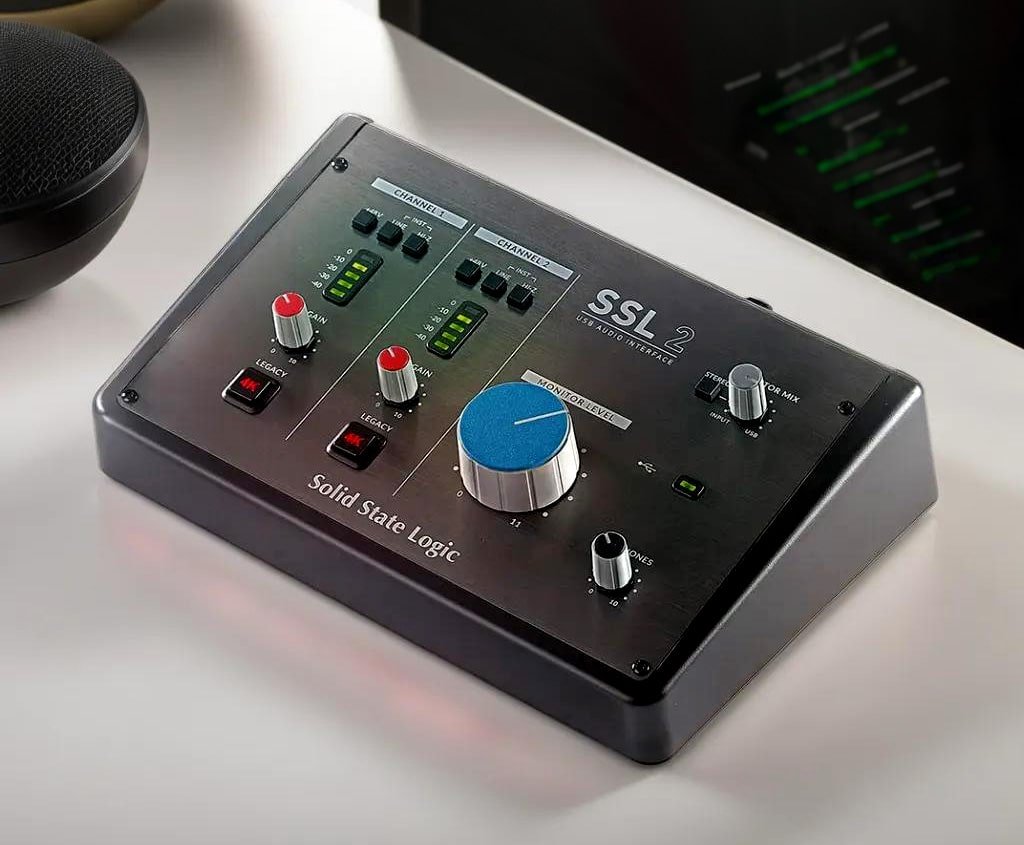
The SSL 2 is a 2-in/2-out USB-C audio interface. It offers studio-quality preamps. It also features an SSL Legacy 4K analog enhancement and an included SSL Software Production Pack. It is compatible with Windows and macOS. The SSL 2 features two class-leading microphone preamps. These preamps deliver exceptional gain and noise performance. The SSL 2 captures every nuance of your recordings with unparalleled clarity and warmth.
Specifications
- Two SSL-designed Legacy 4000 Series mic preamps with 62 dB gain range for capturing warm and clear audio.
- High-quality 24-bit/192kHz analog-to-digital and digital-to-analog conversion for pristine audio capture and playback.
- Two-band EQ with high-pass filter on each channel for tonal shaping of vocals and instruments.
- USB-C connectivity for low latency recording and seamless integration with computers.
- MIDI I/O for seamless integration with MIDI controllers.
- Compact and sturdy design suitable for both studio and mobile use.
- Includes SSL Production Pack software bundle, including SSL Native Vocalstrip 2 and Drumstrip plugins.
- High-current headphone amp for clear and accurate monitoring.
- AKM converters for high-quality audio conversion.
- Compatible with Mac OS 10.11 and above, Windows 8.1 and above.
- USB 2.0 Type C Connector (includes Type C to C and Type C to A cables).
- 2 XLR/TRS combo inputs and 1/4″ headphone output.
- Effects and processing tools included for improved sound quality.
Pros
- Delivers legendary SSL sound quality with renowned preamps and EQs, offering the signature warmth and character of classic analog recordings.
- High-grade mic preamps ensure pristine audio capture.
- USB-C connectivity ensures low-latency recording, making it ideal for modern recording approaches.
- Comprehensive software bundle included, featuring SSL Native plugins and third-party software.
- User-friendly workflow and intuitive controls make it easy to use for beginners and professionals alike.
- High-resolution monitoring capabilities allow for accurate sound reproduction.
- Robust and portable design makes it easy to use both in the studio and on the go.
Cons
- A limited number of channels may not be sufficient for larger setups requiring more inputs.
- Some users report issues with the build quality and headphone socket placement.
- Lacks advanced features like motorized faders or onboard effects, which may be desired by some users.
- Limited input/output options and no expandability options may limit its use in more complex setups.
- No on/off switch may be inconvenient for some users.
- Expensive compared to other USB audio interfaces on the market.
Frequently Asked Questions
- What is an audio interface?
An audio interface is a device that connects your microphones, instruments, and other audio equipment to your computer. It allows you to record, edit, and playback audio with high-quality sound. It converts analog audio signals into digital signals that your computer can understand and manipulate. - What is a mixer?
A mixer is a device used to combine and control multiple audio signals. It works with microphones, instruments, and playback devices. The goal is to create a balanced mix for recording or live sound reinforcement. It’s particularly useful for live performances and home recording setups. - What factors should I consider when choosing an audio interface or mixer?
Key factors to consider include the number of input and output channels, preamp quality, connectivity options, software compatibility, and budget. It’s important to evaluate the audio quality, connectivity, additional features, and price to find the best value for your needs. - Do I need an audio interface or mixer for my home studio?
An audio interface or mixer is not essential. But, it can greatly improve the quality and flexibility of your recordings. This makes it a worthwhile investment for serious musicians and content creators. Evaluate your current and future recording needs. Think about the type of music you make. Use this information to decide which device is best for you. - What is the best mixer for live performances?
The Mackie Mix5 is a great option for live performances, offering a compact and powerful design with easy-to-use controls. It provides flexible mixing capabilities and allows you to route signals to various destinations.
Conclusion
We reviewed multiple product review articles. It is clear that choosing the right audio interface or mixer depends on your specific needs. It also depends on your budget. The eight top-rated options discussed in these articles offer a diverse range of features and capabilities to suit different requirements. TC-Helicon GoXLR offers intuitive controls. Antelope Audio Discrete 4 Synergy Core Thunderbolt provides high-end audio quality. Each product has its unique strengths and weaknesses. Yet, key factors to consider when making a decision include the number of input and output channels and microphone preamps. Other considerations are the connectivity options, included software, and compatibility with your operating system.
Additionally, pay attention to the build quality, ease of use, and customer reviews to guarantee a positive experience. Ultimately, the best audio interface or mixer is the one that best suits your specific requirements and budget. First, carefully evaluate your needs. Then, research different options. This process will help you find the perfect gear to elevate your sound. It will also streamline your workflow.
Thank you for taking the time to read this article that we’ve carefully put together for our readers. We want you to be aware that there are affiliate links in this article. This means that if you buy something through these links, we may earn a commission. We appreciate your support as it helps us keep producing high-quality content. Rest assured that our recommendations are always honest and unbiased.